
TL;DR Short Answer
TelemetryOS (formerly TelemetryTV) is a highly rated digital signage platform, with 4.8/5 on G2 and 4.9/5 on Capterra. Users appreciate its ease of use, centralized screen management, and customer support, although some reviews mention a learning curve, interface limitations, and occasional connectivity or support challenges.
Looking for a TelemetryOS alternative? Bizplay is worth considering if you want versatile digital signage that's surprisingly easy to manage, even without technical expertise. It combines drag-and-drop content creation, playlist management, flexible scheduling, 70+ integrations, and offline playback in one platform.
While TelemetryOS caters to organizations with advanced customization and developer needs, Bizplay is a great fit for businesses that want powerful digital signage without the technical complexity.
Choosing the right digital signage software can make a big difference in how you manage your screens. Whether you're managing a handful of screens or a network across multiple locations, you need a platform that's reliable, flexible, and easy to use.
TelemetryOS is one option for businesses looking to manage connected screens and digital signage experiences. But what if you're looking for something that's easier to work with, offers flexible content creation, and doesn't require a developer for everyday screen management? That's where Bizplay comes in.
Bizplay is an all-in-one digital signage platform that helps businesses create, manage, schedule, and display content across their screens. With its intuitive drag-and-drop editor, integrations, automatic scheduling, and reliable offline playback, Bizplay offers a practical alternative for organizations that want to get more out of their digital signage without making things unnecessarily complicated.
In this article, we cover where the platform works well, what some users find frustrating, what to look for in a TelemetryOS alternative, and how Bizplay compares on support, setup, hardware, and day-to-day management.
TelemetryOS Reviews: What Do Customers Really Think?
When comparing digital signage platforms, product features are only part of the picture. Real customer experiences can tell you just as much about usability, customer support, and the day-to-day experience.
TelemetryOS (formerly TelemetryTV) receives positive ratings on popular software review platforms:
G2: 4.8 out of 5 stars, based on 105 reviews. (November 2026)
Capterra: 4.9 out of 5 stars, based on 168 reviews. (November 2026)
These ratings tell you that customers are satisfied with the platform. However, looking beyond the overall scores provides a more useful picture.

TelemetryOS Pros: What Do Users Like?
An honest TelemetryOS comparison should also include the pros of the signage software.
Ease of use: Reviewers describe the platform as user-friendly, with a relatively straightforward experience for beginners.
Simple setup: Customers appreciate the cloud-based setup, device installation, and ability to create playlists quickly.
Centralized management: Managing displays, scheduling content, and overseeing devices from one dashboard adds value for organizations with multiple locations.
Customer support: Capterra's review summary highlights attentive and responsive customer support.
TelemetryOS Cons: What Could Be Improved?
No digital signage platform is perfect, and customer reviews also highlight some considerations worth keeping in mind.
A learning curve: Some administrators find certain features and navigation less intuitive, particularly when first getting started.
Group management: Managing bulk updates across large groups of devices can sometimes feel cumbersome.
Interface flexibility: Some reviewers find the web-based interface restrictive when working with more complex templates or custom scripts.
Support accessibility: Some G2 feedback mentions difficulties reaching live support, while the supplied review summaries indicate that support availability can depend on the subscription tier.
What Does This Mean When Comparing TelemetryOS and Bizplay?
TelemetryOS is a well-reviewed platform that does setup and everyday use well. The areas reviewers flag, such as support access, the learning curve and interface flexibility, are where Bizplay takes a different approach.
At Bizplay, we believe digital signage should be easy to manage for everyone. That's why we focus on making content creation, scheduling, and screen management accessible without requiring technical expertise.
- Pascal Lindelauf, Founder of Bizplay
Why Consider Bizplay As A TelemetryOS Alternative?
Not every organization needs a complicated digital signage setup. Sometimes, you simply want to create attractive content, get it onto your screens, and keep everything up to date. Bizplay brings these everyday digital signage tasks together in one platform. Here's what makes it an interesting alternative to consider.
Create content easily with a drag and drop editor
Creating digital signage content shouldn't feel like a technical project.
With Bizplay's drag-and-drop editor, you can design professional-looking screen content without coding skills or specialist design software. Simply add your content, arrange elements, choose a layout, and customize your pages.
You can also use professionally designed templates to get started faster and create a consistent look across your screens.
Bizplay supports:Ready-made templates for different industries
Custom branding and house styles
Custom fonts and layouts
Images, videos, documents, and web content
Layered media and page animations
This makes everyday content management accessible to marketing teams, office managers, hospitality businesses, and other employees who don't necessarily have a technical background.
Why it matters: Your team can create and update content independently instead of relying on developers or external designers for every small change.
Manage multiple screens from one central platform
Managing one screen is easy. Managing dozens or hundreds across different locations is another story. Bizplay makes it possible to manage your digital signage network centrally. You can create content, organize playlists, manage channels, and update screens remotely. Whether you're running a single reception display or a network of screens across multiple business locations, you can manage everything from one place.You can also organize screens into categories, making it easier to deliver relevant content to different departments, locations, or audiences.
For example:A retail business can display different promotions in different stores
A hotel can manage lobby information, restaurant menus, and event announcements
An office can share internal updates, company news, and meeting information
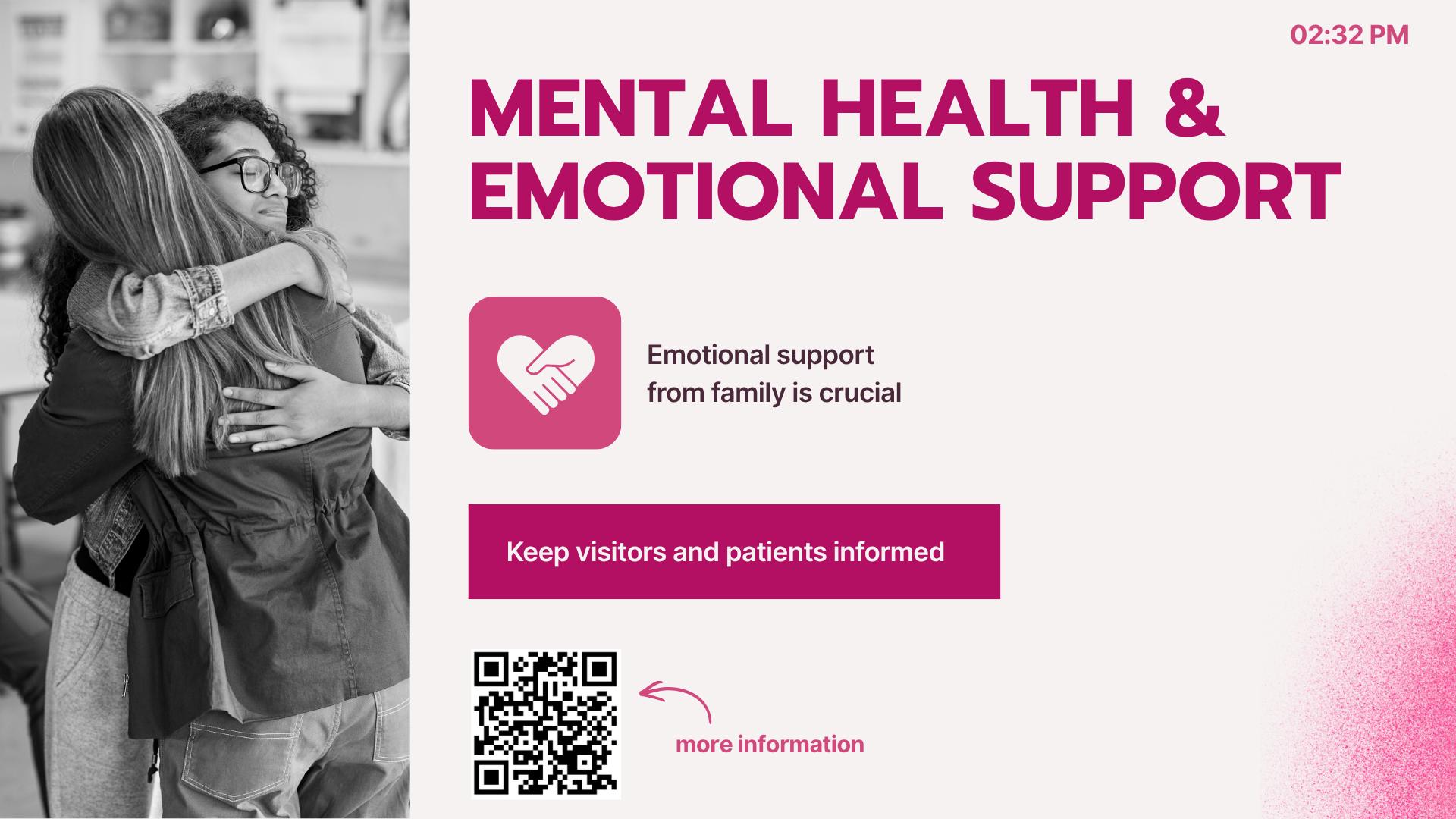
A healthcare facility can display waiting room information and activity schedules
Why it matters: Centralized management saves time and makes it easier to maintain consistent communication across your organization.Schedule content automatically
Showing the right message at the right time is one of the most important parts of effective digital signage. Bizplay includes scheduling capabilities that let you plan content in advance. Instead of manually changing screens throughout the day, you can organize content into playlists and schedule when different messages should appear. Depending on your plan, Bizplay supports hourly, daily, and custom scheduling, as well as event-triggered content and automatic removal of expired pages.
Imagine running a restaurant:Breakfast menus appear in the morning
Lunch promotions take over around midday
Dinner menus appear in the evening
Special promotions are displayed during selected campaigns
Once your schedule is configured, your screens can take care of the rest
Why it matters: Automated scheduling reduces manual work, keeps information relevant, and helps your team communicate more consistently.

Keep your screens running with offline playback
What happens when your internet connection suddenly drops? With some digital signage setups, connectivity problems can interrupt your content. That's not ideal when your screens are displaying important information to customers or employees.
Bizplay supports offline playback by caching content locally on the playback device. This means your screens can continue displaying cached content even when the internet connection is temporarily unavailable. Your screens only need an internet connection during startup to retrieve the required content.
For businesses operating in public spaces, retail environments, healthcare facilities, or busy offices, this is an important feature.
Why it matters: Your digital signage remains consistent even when your internet connection isn't.Connect your favorite Apps
Your digital signage becomes much more useful when it can display information from the tools you already use. Bizplay offers more than 70 integrations, helping businesses bring relevant information onto their screens without constantly creating content from scratch.
Available integrations and applications include:Microsoft Power BI dashboards
Google and Microsoft calendars
Microsoft SharePoint News
Social media platforms
RSS feeds
Weather forecasts
YouTube
Bizplay also supports custom applications built with JavaScript, allowing businesses to retrieve data from online sources and display it in their preferred format.
Why it matters: You can create a more dynamic experience for your audience instead of simply displaying static images and promotional videos.Support different screen types and hardware
A digital signage platform shouldn't force you to replace all your existing hardware.
Bizplay is designed to work across different devices and screen environments, including browsers, Smart TVs, Raspberry Pi, Linux, BrightSign, Windows, and Android playback environments.
It also supports different screen resolutions, aspect ratios, and orientations, including 4K displays and LED walls. This flexibility makes it easier to build a digital signage network around your existing devices.
Why it matters: You have more flexibility when choosing your hardware and expanding your digital signage setup.Keep your digital signage secure
Digital signage often involves multiple employees, departments, and locations. That's why controlling who can access and change content is important. Bizplay includes several security and access management features, such as:
Role-based user permissions.
Google and Microsoft account sign-in
Two-factor authentication
Registered-device playback restrictions
IP address restrictions in supported plans
These features help organizations manage access to their digital signage environment and maintain better control over what appears on their screens.Why it matters: Your team can collaborate on content while maintaining control over access and playback.
Bizplay vs. TelemetryOS: How Do They Compare?
Let's see how both digital signage platforms compare. TelemetryOS is more technical and comes with capabilities for custom applications and data integration. Its platform supports React and TypeScript development, device management, APIs, webhooks, and other advanced integrations.
Bizplay combines powerful digital signage features with a surprisingly simple user experience. You get plenty of flexibility without making everyday screen management complicated.
Feature | Bizplay | TelemetryOS |
|---|---|---|
Ease of use | Beginner-friendly and designed for non-technical users | More developer-oriented, with advanced customization options |
Content editor | Easy to use drag-and-drop editor | Visual layout engine with layers, grouping and custom applications |
Templates | Ready-made templates for various industries, plus customizable templates | Reusable page templates |
Playlist management | Drag-and-drop playlist creation and management | Built-in playlists and media libraries |
Scheduling | Flexible content scheduling | Advanced scheduling options, targeting rules |
Integrations | 70+ ready-to-use integrations | APIs, webhooks and custom integrations |
Custom apps | JavaScript | React and TypeScript |
User management | Role-based permissions and SSO | Role-based permissions and SSO |
Interactive screens | Touch triggers and external triggers | Custom interactive applications and hardware connectivity |
Best for | Businesses wanting powerful, versatile and easy-to-manage digital signage | Businesses needing advanced custom applications |
Custom interactive applications andhardware connectivityWant to explore all features? See our full feature list.
Bizplay vs. TelemetryOS: Which Platform Is Right for You?
The right platform depends on your needs.
Choose TelemetryOS if:
You need to build highly customized screen-based applications
Your team works with React and TypeScript
You require advanced device and system connectivity
Your digital signage project involves extensive custom development
You want to build data-driven screen experiences with developer-level control
Consider Bizplay if:
You want an intuitive digital signage content management system
Your team needs to create content without hassle
You want straightforward playlist and scheduling management
You need integrations with familiar business applications
You want reliable offline playback
You need to manage screens across different locations
You need a platform that can grow with your organization
Value personal support from real people, including the developers, instead of ticket queues or bots
Who Is Bizplay Best For?
Bizplay is used across different industries. Here are some examples of use cases:
Retail Businesses
Retailers use digital signage to promote products, display special offers, communicate seasonal campaigns, and improve the in-store customer experience. With centralized management and scheduling, teams can update promotions across multiple locations without visiting every store.
Hospitality and Restaurants
Restaurants, hotels, and other hospitality businesses use Bizplay for digital menu boards, promotional displays, event announcements, and visitor information. Content can be scheduled to match opening hours, meal times, or special events.
Offices and Corporate Environments
Internal communication is easier when important information is visible. Businesses use Bizplay to display company news, KPIs, meeting schedules, announcements, and live dashboards.
Integrations with Microsoft Power BI, SharePoint, and calendars make it easier to keep employees informed.
Healthcare Facilities
Hospitals, clinics, and healthcare facilities can use digital signage to share waiting room information, activity calendars, announcements, and other relevant content.
Offline playback also helps maintain screen availability when network connectivity is interrupted.
Education and Public Spaces
Schools, universities, and public venues can use Bizplay to communicate schedules, announcements, event information, and other updates.
Final takeaway
Choosing a digital signage platform doesn't have to be complicated. While TelemetryOS offers powerful tools for developer-driven projects, Bizplay makes digital signage super versatile and surprisingly easy to manage, even for non-techies.
Looking for a TelemetryOS alternative that combines flexibility with simplicity? Give Bizplay a try and see how easy digital signage can be managed.
Ready to make your signage easier?
Enjoy all the versatile features, while keeping your digital signage surprisingly easy. Try it for free. No credit card needed.












SHARE ON SOCIAL MEDIA